

Skip to product information
1 of 7

NetAlly LinkSprinter Pocket Network Tester

NetAlly LinkSprinter Pocket Network Tester

SKU: 1029671385      MFR: NetAlly

GTIN: 754082128700

Product Description

NetAlly LinkSprinter Pocket Network Tester - LinkSprinter and wrist strap. PoE Testing - Twisted Pair - Wi-Fi

Manufacturer : NetAlly

Manufacturer Part No : LSPRNTR-300

Features

  • Discover the nearest switch name and port information via CDP/LLDP/EDP and verify link speed/duplex and connectivity to TCP/IP networks
  • Validate Power-over-Ethernet (PoE) voltage from power sourcing equipment (PSE) according to 802.3af/at standards
  • View detailed test results add comments and run cable tests using your mobile device over a Wi-Fi hotspot built into the LinkSprinter
  • Automate reporting and enable collaboration with test results upload and management via the free Link-Live Cloud Service

Product Details

Product TypeNetwork Testing Device
Wireless LANYes
USBNo
HDMINo
VGANo
Network (RJ-45)No
Product FamilyLinkSprinter
Media Type SupportedTwisted Pair
Device FunctionPoE Testing
PoE (RJ-45) PortYes
Brand NameNetAlly
Battery ChemistryAlkaline
Battery Size SupportedAA
Number of Batteries Supported2
DVINo
Audio Line OutNo
Serial PortNo
Number of PoE (RJ-45) Ports1
Serial V.35 InterfaceNo
Height4.4"
Width1.6"
Depth1.3"
ManufacturerNetAlly
Product Model300
Product NameLinkSprinter Network Tester
Product LineLinkSprinter
Manufacturer Part NumberLSPRNTR-300
Manufacturer Website Addresshttp://www.netally.com
Marketing Information

The LinkSprinter Network Tester provides quick simple and affordable network connectivity testing and troubleshooting that solves problems fast using smartphone integration and automated cloud-based reporting at a price anyone can afford.

Five essential network tests in the palm of your hand:

  • Power Over Ethernet (PoE)Tester
    This network tester can become a PoE tester that checks to make sure you can power a phone security camera or Access Point through a specific port. The LinkSprinter Network Tester can even run without batteries on PoE.
  • Link to the Switch
    Perform a switch test which will indicate the switch name and port your cable connects to. Know your available speed and duplex settings.
  • DHCP Connection
    Confirm that the DHCP server is running and responsive. Request an IP address get your subnet information and identify the default gateway and DNS server.
  • Gateway Connection
    Verify the gateway/router address and reachability by pinging the device three times.
  • Internet Connection
    Confirm cloud connectivity or internal service reachability. Verify DNS server lookup and application port connectivity.

Link-Live Cloud Service

Welcome to Link-Live Cloud Service a centralized management collaboration and archival workspace for network connectivity test results from NetAlly's handheld network testers. Test results are automatically sent to your secure Link-Live cloud account providing organizations with a newfound ability to quickly and easily document their network provide proof of performance and better manage jobs and staff efficiency. In addition an e-mail of every test result is sent as it occurs allowing the technician to annotate information about the test and even attach a photo. That annotation is then automatically added to that record in Link-Live creating a very in-depth understanding as to the performance of each link and mapping endpoint images (wall jacks devices serial numbers) directly to their switch slot and port. Link-Live provides important test results management and reporting capabilities at no additional charge to select handheld network test tools (LinkSprinter LinkRunner AirCheck G2). It provides greater job visibility project control and fleet management for larger distributed environments.

Link-Live Cloud Service Features:

  • Complementary no annual service fees
  • Supports all models of LinkSprinter LinkRunner AirCheck G2 and OneTouch AT
  • Manage sort and analyze test results
  • Filter results by time user network device errors instrument and more
  • Add comments or photos to any test result
  • Automatic filing of tests into specific folders
  • Proxy support
  • Buffer up to 10 test results

View detailed network test results on your mobile device:
The LinkSprinter results can be accessed through the browser of any mobile device with its built-in Wi-Fi access point and web server.

More from the Manufacturer

Packaged Quantity1
Package Contents
  • LinkSprinter Network Tester
  • Wrist Strap
Limited Warranty1 Year
Weight (Approximate)4.08 oz
Token Ring PortNo
Wireless LAN StandardIEEE 802.11b/g
Certifications & Standards
  • EMC: EN 61326-1:2006
  • Regulatory Domain EN 301 489-1/17
  • IEEE 802.11 b/g
Safety:
  • CAN/CSA-C22.2 No. 61010-1-12
  • UL Std. No. 61010-1 (3rd Edition)
  • IEC61010-1:2010
  • Pollution degree 2
Certifications and Compliance:
  • Conforms to relevant European Union directives
  • Conforms to relevant Australian standards
  • Listed by the Canadian Standards Association
  • Conforms to relevant FCC standards
Marketing Information

The LinkSprinter Network Tester provides quick simple and affordable network connectivity testing and troubleshooting that solves problems fast using smartphone integration and automated cloud-based reporting at a price anyone can afford.

Five essential network tests in the palm of your hand:

  • Power Over Ethernet (PoE)Tester
    This network tester can become a PoE tester that checks to make sure you can power a phone security camera or Access Point through a specific port. The LinkSprinter Network Tester can even run without batteries on PoE.
  • Link to the Switch
    Perform a switch test which will indicate the switch name and port your cable connects to. Know your available speed and duplex settings.
  • DHCP Connection
    Confirm that the DHCP server is running and responsive. Request an IP address get your subnet information and identify the default gateway and DNS server.
  • Gateway Connection
    Verify the gateway/router address and reachability by pinging the device three times.
  • Internet Connection
    Confirm cloud connectivity or internal service reachability. Verify DNS server lookup and application port connectivity.

Link-Live Cloud Service

Welcome to Link-Live Cloud Service a centralized management collaboration and archival workspace for network connectivity test results from NetAlly's handheld network testers. Test results are automatically sent to your secure Link-Live cloud account providing organizations with a newfound ability to quickly and easily document their network provide proof of performance and better manage jobs and staff efficiency. In addition an e-mail of every test result is sent as it occurs allowing the technician to annotate information about the test and even attach a photo. That annotation is then automatically added to that record in Link-Live creating a very in-depth understanding as to the performance of each link and mapping endpoint images (wall jacks devices serial numbers) directly to their switch slot and port. Link-Live provides important test results management and reporting capabilities at no additional charge to select handheld network test tools (LinkSprinter LinkRunner AirCheck G2). It provides greater job visibility project control and fleet management for larger distributed environments.

Link-Live Cloud Service Features:

  • Complementary no annual service fees
  • Supports all models of LinkSprinter LinkRunner AirCheck G2 and OneTouch AT
  • Manage sort and analyze test results
  • Filter results by time user network device errors instrument and more
  • Add comments or photos to any test result
  • Automatic filing of tests into specific folders
  • Proxy support
  • Buffer up to 10 test results

View detailed network test results on your mobile device:
The LinkSprinter results can be accessed through the browser of any mobile device with its built-in Wi-Fi access point and web server.

More from the Manufacturer

Additional Information

LinkSolutions Kit

View full details
Regular price $523.99 USD
Regular price Sale price $523.99
Sale Sold out

In Stock - 74 (Available by Mon, Dec 29 - Sat, Jan 03)


Update


Shipping calculated at checkout.
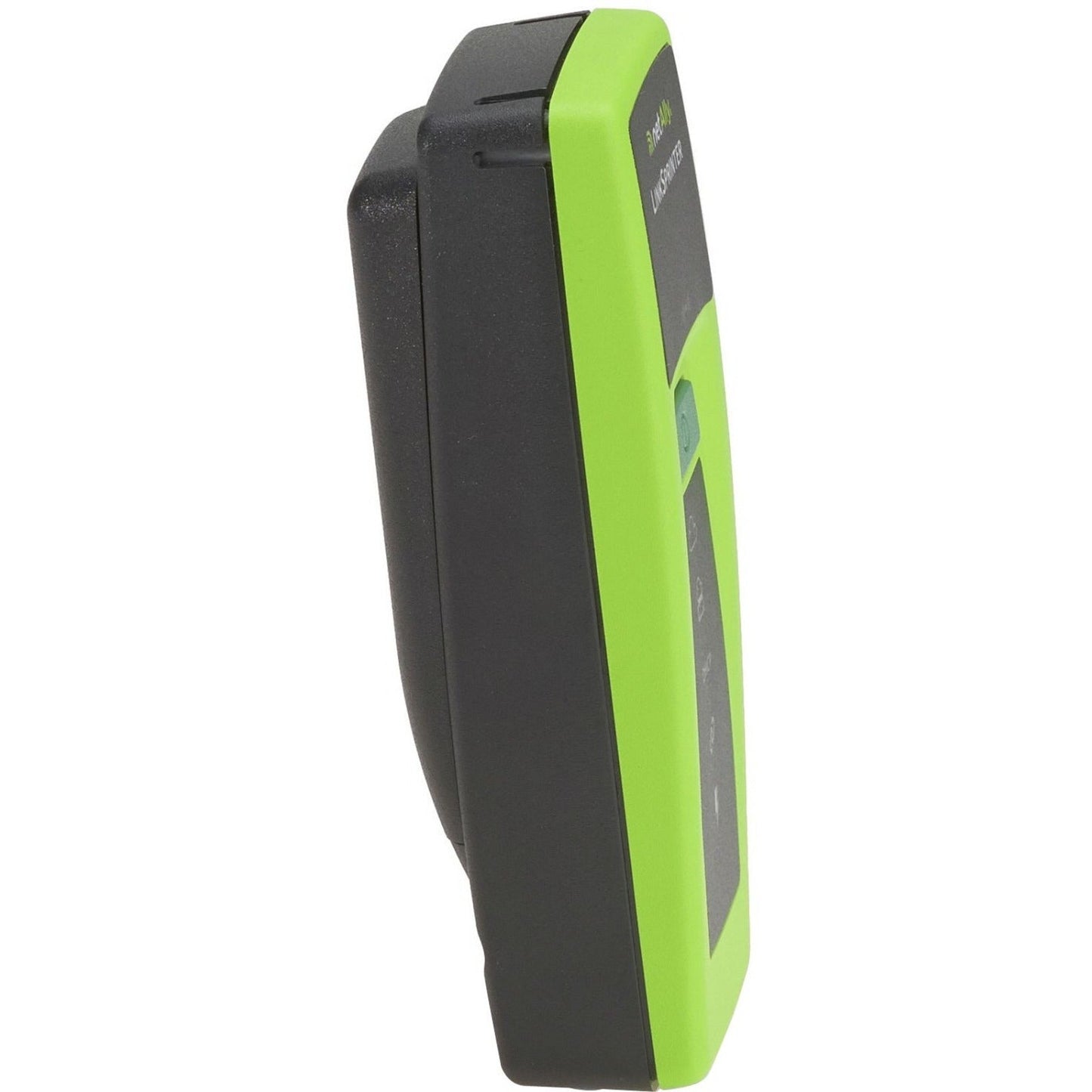
NetAlly LinkSprinter Pocket Network Tester - LinkSprinter and wrist strap. PoE Testing - Twisted Pair - Wi-Fi

Manufacturer : NetAlly

Manufacturer Part No : LSPRNTR-300

Features

  • Discover the nearest switch name and port information via CDP/LLDP/EDP and verify link speed/duplex and connectivity to TCP/IP networks
  • Validate Power-over-Ethernet (PoE) voltage from power sourcing equipment (PSE) according to 802.3af/at standards
  • View detailed test results add comments and run cable tests using your mobile device over a Wi-Fi hotspot built into the LinkSprinter
  • Automate reporting and enable collaboration with test results upload and management via the free Link-Live Cloud Service

Product Details

Product TypeNetwork Testing Device
Wireless LANYes
USBNo
HDMINo
VGANo
Network (RJ-45)No
Product FamilyLinkSprinter
Media Type SupportedTwisted Pair
Device FunctionPoE Testing
PoE (RJ-45) PortYes
Brand NameNetAlly
Battery ChemistryAlkaline
Battery Size SupportedAA
Number of Batteries Supported2
DVINo
Audio Line OutNo
Serial PortNo
Number of PoE (RJ-45) Ports1
Serial V.35 InterfaceNo
Height4.4"
Width1.6"
Depth1.3"
ManufacturerNetAlly
Product Model300
Product NameLinkSprinter Network Tester
Product LineLinkSprinter
Manufacturer Part NumberLSPRNTR-300
Manufacturer Website Addresshttp://www.netally.com
Marketing Information

The LinkSprinter Network Tester provides quick simple and affordable network connectivity testing and troubleshooting that solves problems fast using smartphone integration and automated cloud-based reporting at a price anyone can afford.

Five essential network tests in the palm of your hand:

  • Power Over Ethernet (PoE)Tester
    This network tester can become a PoE tester that checks to make sure you can power a phone security camera or Access Point through a specific port. The LinkSprinter Network Tester can even run without batteries on PoE.
  • Link to the Switch
    Perform a switch test which will indicate the switch name and port your cable connects to. Know your available speed and duplex settings.
  • DHCP Connection
    Confirm that the DHCP server is running and responsive. Request an IP address get your subnet information and identify the default gateway and DNS server.
  • Gateway Connection
    Verify the gateway/router address and reachability by pinging the device three times.
  • Internet Connection
    Confirm cloud connectivity or internal service reachability. Verify DNS server lookup and application port connectivity.

Link-Live Cloud Service

Welcome to Link-Live Cloud Service a centralized management collaboration and archival workspace for network connectivity test results from NetAlly's handheld network testers. Test results are automatically sent to your secure Link-Live cloud account providing organizations with a newfound ability to quickly and easily document their network provide proof of performance and better manage jobs and staff efficiency. In addition an e-mail of every test result is sent as it occurs allowing the technician to annotate information about the test and even attach a photo. That annotation is then automatically added to that record in Link-Live creating a very in-depth understanding as to the performance of each link and mapping endpoint images (wall jacks devices serial numbers) directly to their switch slot and port. Link-Live provides important test results management and reporting capabilities at no additional charge to select handheld network test tools (LinkSprinter LinkRunner AirCheck G2). It provides greater job visibility project control and fleet management for larger distributed environments.

Link-Live Cloud Service Features:

  • Complementary no annual service fees
  • Supports all models of LinkSprinter LinkRunner AirCheck G2 and OneTouch AT
  • Manage sort and analyze test results
  • Filter results by time user network device errors instrument and more
  • Add comments or photos to any test result
  • Automatic filing of tests into specific folders
  • Proxy support
  • Buffer up to 10 test results

View detailed network test results on your mobile device:
The LinkSprinter results can be accessed through the browser of any mobile device with its built-in Wi-Fi access point and web server.

More from the Manufacturer

Packaged Quantity1
Package Contents
  • LinkSprinter Network Tester
  • Wrist Strap
Limited Warranty1 Year
Weight (Approximate)4.08 oz
Token Ring PortNo
Wireless LAN StandardIEEE 802.11b/g
Certifications & Standards
  • EMC: EN 61326-1:2006
  • Regulatory Domain EN 301 489-1/17
  • IEEE 802.11 b/g
Safety:
  • CAN/CSA-C22.2 No. 61010-1-12
  • UL Std. No. 61010-1 (3rd Edition)
  • IEC61010-1:2010
  • Pollution degree 2
Certifications and Compliance:
  • Conforms to relevant European Union directives
  • Conforms to relevant Australian standards
  • Listed by the Canadian Standards Association
  • Conforms to relevant FCC standards
Marketing Information

The LinkSprinter Network Tester provides quick simple and affordable network connectivity testing and troubleshooting that solves problems fast using smartphone integration and automated cloud-based reporting at a price anyone can afford.

Five essential network tests in the palm of your hand:

  • Power Over Ethernet (PoE)Tester
    This network tester can become a PoE tester that checks to make sure you can power a phone security camera or Access Point through a specific port. The LinkSprinter Network Tester can even run without batteries on PoE.
  • Link to the Switch
    Perform a switch test which will indicate the switch name and port your cable connects to. Know your available speed and duplex settings.
  • DHCP Connection
    Confirm that the DHCP server is running and responsive. Request an IP address get your subnet information and identify the default gateway and DNS server.
  • Gateway Connection
    Verify the gateway/router address and reachability by pinging the device three times.
  • Internet Connection
    Confirm cloud connectivity or internal service reachability. Verify DNS server lookup and application port connectivity.

Link-Live Cloud Service

Welcome to Link-Live Cloud Service a centralized management collaboration and archival workspace for network connectivity test results from NetAlly's handheld network testers. Test results are automatically sent to your secure Link-Live cloud account providing organizations with a newfound ability to quickly and easily document their network provide proof of performance and better manage jobs and staff efficiency. In addition an e-mail of every test result is sent as it occurs allowing the technician to annotate information about the test and even attach a photo. That annotation is then automatically added to that record in Link-Live creating a very in-depth understanding as to the performance of each link and mapping endpoint images (wall jacks devices serial numbers) directly to their switch slot and port. Link-Live provides important test results management and reporting capabilities at no additional charge to select handheld network test tools (LinkSprinter LinkRunner AirCheck G2). It provides greater job visibility project control and fleet management for larger distributed environments.

Link-Live Cloud Service Features:

  • Complementary no annual service fees
  • Supports all models of LinkSprinter LinkRunner AirCheck G2 and OneTouch AT
  • Manage sort and analyze test results
  • Filter results by time user network device errors instrument and more
  • Add comments or photos to any test result
  • Automatic filing of tests into specific folders
  • Proxy support
  • Buffer up to 10 test results

View detailed network test results on your mobile device:
The LinkSprinter results can be accessed through the browser of any mobile device with its built-in Wi-Fi access point and web server.

More from the Manufacturer

Additional Information

LinkSolutions Kit

Recently Viewed