
Skip to product information
1 of 5

QNAP QDA-A2AR DAS Storage System

QNAP QDA-A2AR DAS Storage System

SKU: 1059803529      MFR: QNAP Systems

GTIN: 885022017393

Product Description

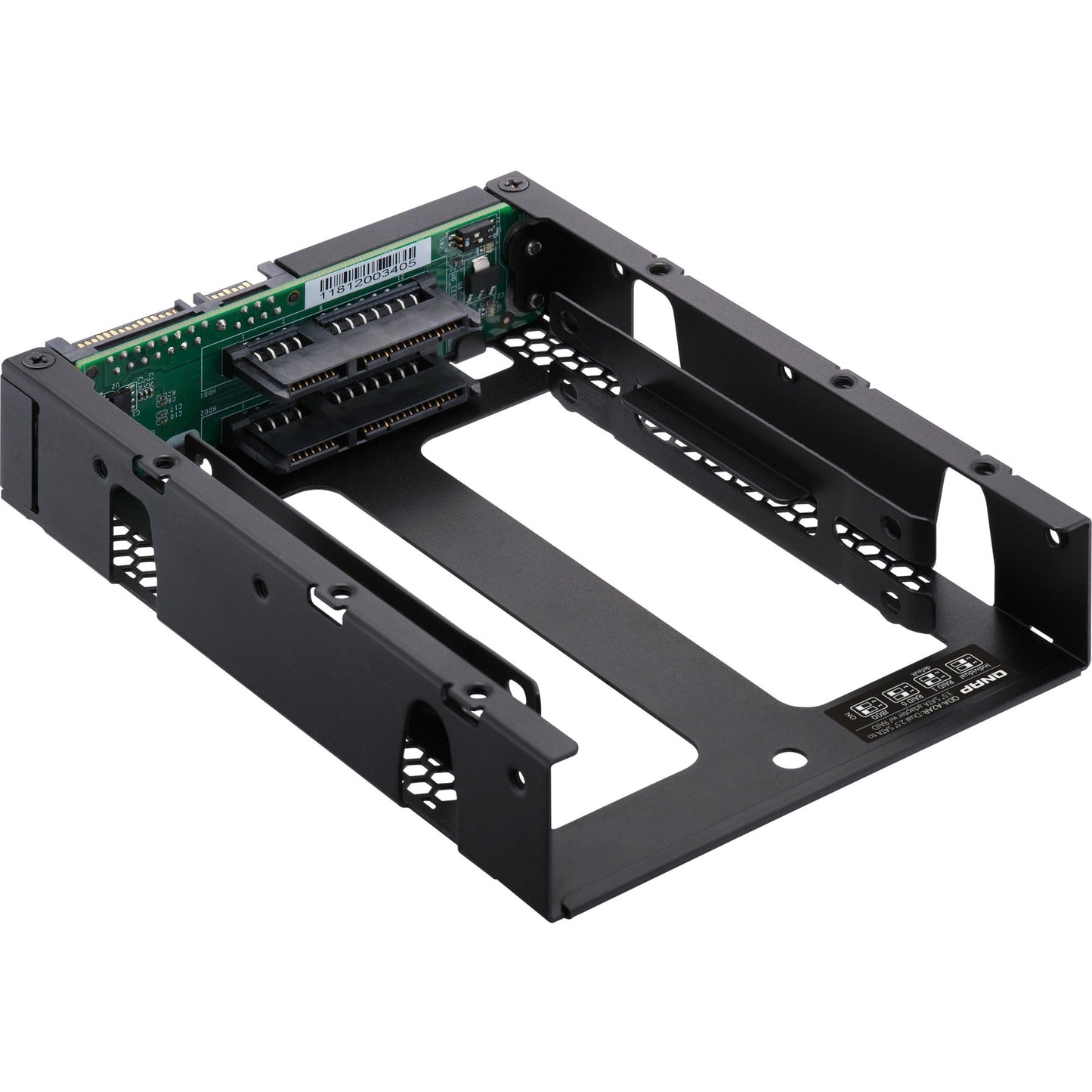
QNAP QDA-A2AR DAS Storage System - 2 x HDD Supported - 2 x SSD Supported - Serial ATA/600 Controller - RAID Supported 0 1 JBOD - 2 x Total Bays - 2 x 2.5" Bay - Internal

Manufacturer : QNAP Systems

Manufacturer Part No : QDA-A2AR

Product Details

Product TypeDAS Storage System
RAID SupportedYes
Number of Total Expansion Bays2
Number of Hard Drives Supported2
Number of Hard Drives InstalledNo
Number of 2.5" Bays2
Brand NameQNAP
Form FactorInternal
RAID Levels0 1 JBOD
Controller TypeSerial ATA/600
Host InterfaceSATA/600
Number of Solid State Drive Supported2
Number of Solid State Drive InstalledNo
Country of OriginTaiwan
ManufacturerQNAP Systems
Product ModelQDA-A2AR
Product NameQDA-A2AR DAS Storage System
Manufacturer Website Addresshttp://www.qnap.com
Marketing Information

Use two 2.5-inch SATA drives in a single 3.5-inch SATA drive bay with RAID support for PC and NAS

The QDA-A2AR can accommodate two 2.5-inch SATA drives within a single 3.5-inch SATA drive bay. No software driver is required for the QDA-A2AR and it can be installed in a PC/workstation (Windows® Linux®) or QNAP NAS to flexibly add additional hard drives or SSDs to meet various storage needs.

Use two 2.5-inch SATA HDDs/SSDs (7mm to 9.5mm high) in a single 3.5-inch drive bay. (HDD/SSD sold separately)

Up to 6 Gb/s file transfer speeds. Can be the primary bootable device for PCs.

Choose a hardware RAID group with the disk mode switch.

Supports various RAID levels

The QDA-A2AR supports a variety of RAID configurations. Depending on your requirements you can use the bundled metal pin as disk mode switch tool to select your ideal RAID mode: Individual JBOD RAID 0 or RAID 1. Windows® users can use the QNAP External RAID Manager utility to view the RAID group status and disk health information.

Individual Mode

A PC that supports SATA port multipliers can connect two SATA drives to a single SATA port allowing you to independently access each disk as separate storage space.

RAID 1 Mode (Default)

Half of the total storage capacity is used to store data and the other half keeps a copy of this data. This provides high data protection at the cost of only being able to use half the installed storage space.

RAID 0 Mode

Data is split amongst the drives. RAID 0 provides the fastest performance but does not protect data from drive failure.

JBOD Mode

All the drives are recognized as a single drive. This allows maximal storage utilization but provides no data protection.

Install in a PC/workstation for higher performance or data protection

When using two 2.5-inch drives instead of a single 3.5-inch drive in a PC/workstation (Windows® or Linux®) you can create a RAID 0 for enhanced performance or RAID 1 to add data redundancy for greater data protection. To deal with tasks that require intensive fast data transmission you can install high-speed SATA SSDs to achieve maximized performance and lower latency ideal for on-the-fly video editing and server-grade applications.

External RAID Manager for Windows users

The QNAP External RAID Manager utility allows Windows® users to view the drive status and RAID information of the QDA-A2AR. Firmware updates for the QDA-A2AR can also be managed with the External RAID Manager utility.

Install in QNAP NAS for efficient storage or SSD caching

The QDA-A2AR supports hardware RAID that will not consume CPU resources to help sustain optimal NAS performance. You can install one or more QDA-A2AR in a NAS to maximize the storage utilization of 3.5-inch drive bays. The QDA-A2AR can accommodate two SSDs to create an SSD volume for performance-demanding workflows or work in an efficient tiered-storage environment with Qtier. It can also boost IOPS performance when configuring SSD caching. RAID information and drive health of the QDA-A2AR can be monitored through the QTS Storage & Snapshots Manager.

View full details
Regular price $95.99 USD
Regular price Sale price $95.99
Sale Sold out

In Stock - 46 (Available by Thu, Jun 11 - Tue, Jun 16)


Update


Shipping calculated at checkout.

QNAP QDA-A2AR DAS Storage System - 2 x HDD Supported - 2 x SSD Supported - Serial ATA/600 Controller - RAID Supported 0 1 JBOD - 2 x Total Bays - 2 x 2.5" Bay - Internal

Manufacturer : QNAP Systems

Manufacturer Part No : QDA-A2AR

Product Details

Product TypeDAS Storage System
RAID SupportedYes
Number of Total Expansion Bays2
Number of Hard Drives Supported2
Number of Hard Drives InstalledNo
Number of 2.5" Bays2
Brand NameQNAP
Form FactorInternal
RAID Levels0 1 JBOD
Controller TypeSerial ATA/600
Host InterfaceSATA/600
Number of Solid State Drive Supported2
Number of Solid State Drive InstalledNo
Country of OriginTaiwan
ManufacturerQNAP Systems
Product ModelQDA-A2AR
Product NameQDA-A2AR DAS Storage System
Manufacturer Website Addresshttp://www.qnap.com
Marketing Information

Use two 2.5-inch SATA drives in a single 3.5-inch SATA drive bay with RAID support for PC and NAS

The QDA-A2AR can accommodate two 2.5-inch SATA drives within a single 3.5-inch SATA drive bay. No software driver is required for the QDA-A2AR and it can be installed in a PC/workstation (Windows® Linux®) or QNAP NAS to flexibly add additional hard drives or SSDs to meet various storage needs.

Use two 2.5-inch SATA HDDs/SSDs (7mm to 9.5mm high) in a single 3.5-inch drive bay. (HDD/SSD sold separately)

Up to 6 Gb/s file transfer speeds. Can be the primary bootable device for PCs.

Choose a hardware RAID group with the disk mode switch.

Supports various RAID levels

The QDA-A2AR supports a variety of RAID configurations. Depending on your requirements you can use the bundled metal pin as disk mode switch tool to select your ideal RAID mode: Individual JBOD RAID 0 or RAID 1. Windows® users can use the QNAP External RAID Manager utility to view the RAID group status and disk health information.

Individual Mode

A PC that supports SATA port multipliers can connect two SATA drives to a single SATA port allowing you to independently access each disk as separate storage space.

RAID 1 Mode (Default)

Half of the total storage capacity is used to store data and the other half keeps a copy of this data. This provides high data protection at the cost of only being able to use half the installed storage space.

RAID 0 Mode

Data is split amongst the drives. RAID 0 provides the fastest performance but does not protect data from drive failure.

JBOD Mode

All the drives are recognized as a single drive. This allows maximal storage utilization but provides no data protection.

Install in a PC/workstation for higher performance or data protection

When using two 2.5-inch drives instead of a single 3.5-inch drive in a PC/workstation (Windows® or Linux®) you can create a RAID 0 for enhanced performance or RAID 1 to add data redundancy for greater data protection. To deal with tasks that require intensive fast data transmission you can install high-speed SATA SSDs to achieve maximized performance and lower latency ideal for on-the-fly video editing and server-grade applications.

External RAID Manager for Windows users

The QNAP External RAID Manager utility allows Windows® users to view the drive status and RAID information of the QDA-A2AR. Firmware updates for the QDA-A2AR can also be managed with the External RAID Manager utility.

Install in QNAP NAS for efficient storage or SSD caching

The QDA-A2AR supports hardware RAID that will not consume CPU resources to help sustain optimal NAS performance. You can install one or more QDA-A2AR in a NAS to maximize the storage utilization of 3.5-inch drive bays. The QDA-A2AR can accommodate two SSDs to create an SSD volume for performance-demanding workflows or work in an efficient tiered-storage environment with Qtier. It can also boost IOPS performance when configuring SSD caching. RAID information and drive health of the QDA-A2AR can be monitored through the QTS Storage & Snapshots Manager.

Recently Viewed